
How to Access Seedance 2.5 for Interior Design Video
The three routes to ByteDance's video model, which one suits a design studio, and the features that matter most when the subject is a room.
Seedance 2.5 is ByteDance's video generation model. The launch post from ByteDance Seed, dated 31 July 2026, describes single-pass clips of up to 30 seconds with synchronized audio, up to 30 images, 10 video clips and 10 audio clips as references, and timestamp-level editing. For interior designers one capability stands out above the rest, and it is covered below. First, the practical question: where can you actually use it?
Route 1: ByteDance's own apps
At launch, ByteDance said Seedance 2.5 was rolling out on Jimeng AI, Doubao Pro and other platforms. The access path it published is short: open video generation in Jimeng Web or Doubao Pro and select Seedance 2.5. These are consumer creative apps. They suit an individual designer testing the model, and less so a studio that needs shared projects, consistent assets across a whole home, or a review step with a client.
Route 2: The API
The same launch post said API access was coming soon through BytePlus ModelArk. This is the route for a studio or a proptech product that wants Seedance inside its own pipeline, for example generating a walkthrough clip automatically for every new listing. It needs a developer, an account with the cloud provider and usage-based billing. For a design team without engineers, it is the most powerful route and the least practical one.
Route 3: A creative platform
Creative platforms package the model with the workflow around it. OiiOii is one such platform, and its terms are published clearly, as confirmed by its team on 14 October 2026:
- Membership is the key. Sign in, open a project or canvas and select Seedance 2.5. There is no separate ByteDance account, no API key and no setup.
- Free credits are not access. Signup and check-in rewards do not on their own unlock the model.
- The envelope: 4 to 30 seconds per generation, 1080p output with 10-bit built in, up to 50 references in total, and the aspect ratio chosen before generation.
- Beyond 30 seconds: a story workflow generates multiple shots and assembles them, which is how a full home tour gets built.
OiiOii's own step-by-step guide covers how to access Seedance 2.5 on OiiOii, from checking membership to reviewing the first clip.
The feature designers should test first: clay render references
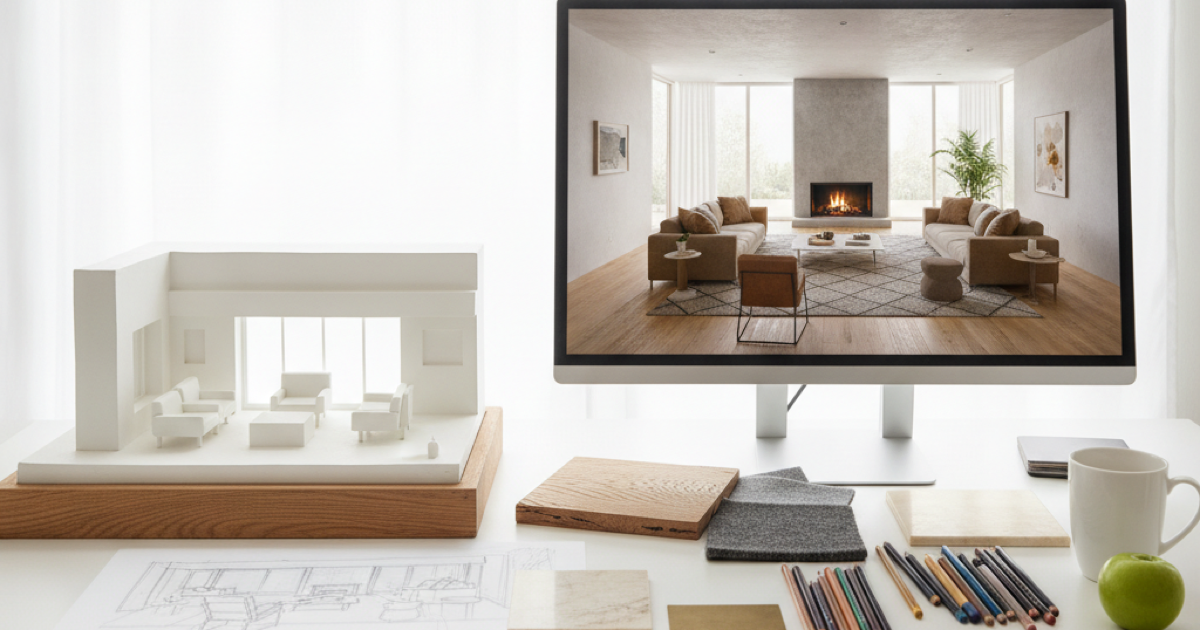
The launch post describes clay render referencing: you block out a scene with textureless 3D models, and the model uses that structure for composition, camera angle and motion path, then generates lighting that follows the spatial information. For an interior designer this is the most important line in the announcement. A white massing model of a room, the kind every studio already produces from its SketchUp or Revit file, can now set the geometry of a generated video.
The usual failure of AI video on interiors is invented architecture: a wall that bends, a window that moves. A clay reference attacks that problem directly, because the model is no longer guessing where the walls are. Pair it with a styled still of the same room as the look reference and you have structure from one input and finish from the other.
Two more features that matter for rooms
Timestamp-level editing
ByteDance describes timestamp control for targeted edits of audio and video. In practice it lets you fix the two seconds where a lamp drifts instead of regenerating a clip that is otherwise right. On OiiOii the equivalent is local region editing, which corrects part of a shot without regenerating the whole thing.
Green screen editing
Background replacement is useful for furniture brands: shoot or render a piece once and place it in several rooms for different markets. Both the launch post and OiiOii list green screen editing among the supported features.
A first test in one afternoon
Before committing a client project, run one small test that tells you whether the model respects your architecture. It takes a few generations and answers the only question that matters for interiors.
- Pick one room you know well, with a clay model and a finished still of the same view.
- Write a single slow camera move: a push in from the doorway at eye height, ten seconds, no rotation.
- Generate it twice, once from the still alone and once with the clay model as a structure reference.
- Compare the walls, the windows and the floor line against the plan, not against your memory of the render.
If the second clip holds the geometry and the first does not, you have your workflow: structure from the clay model, finish from the still. If neither holds, shorten the move and slow it down before you change anything else.
Which route fits your studio
- Trying it out on your own: the consumer apps are the quickest start.
- Automating video for many listings: the API, with a developer.
- Producing client videos with consistent rooms and a review step: a creative platform that handles assets, multi-shot assembly and audio.
Whichever you choose, check one thing against your delivery spec first: output on OiiOii is 1080p, which is plenty for listings, social and a client screen share. And whichever route you take, the strongest input is still a clean still of the real room. Collov.ai's staging and render tools are built to produce exactly that, and the best virtual staging AI output is now clean enough to serve as the look reference beside a clay model.