Feb 16, 2026
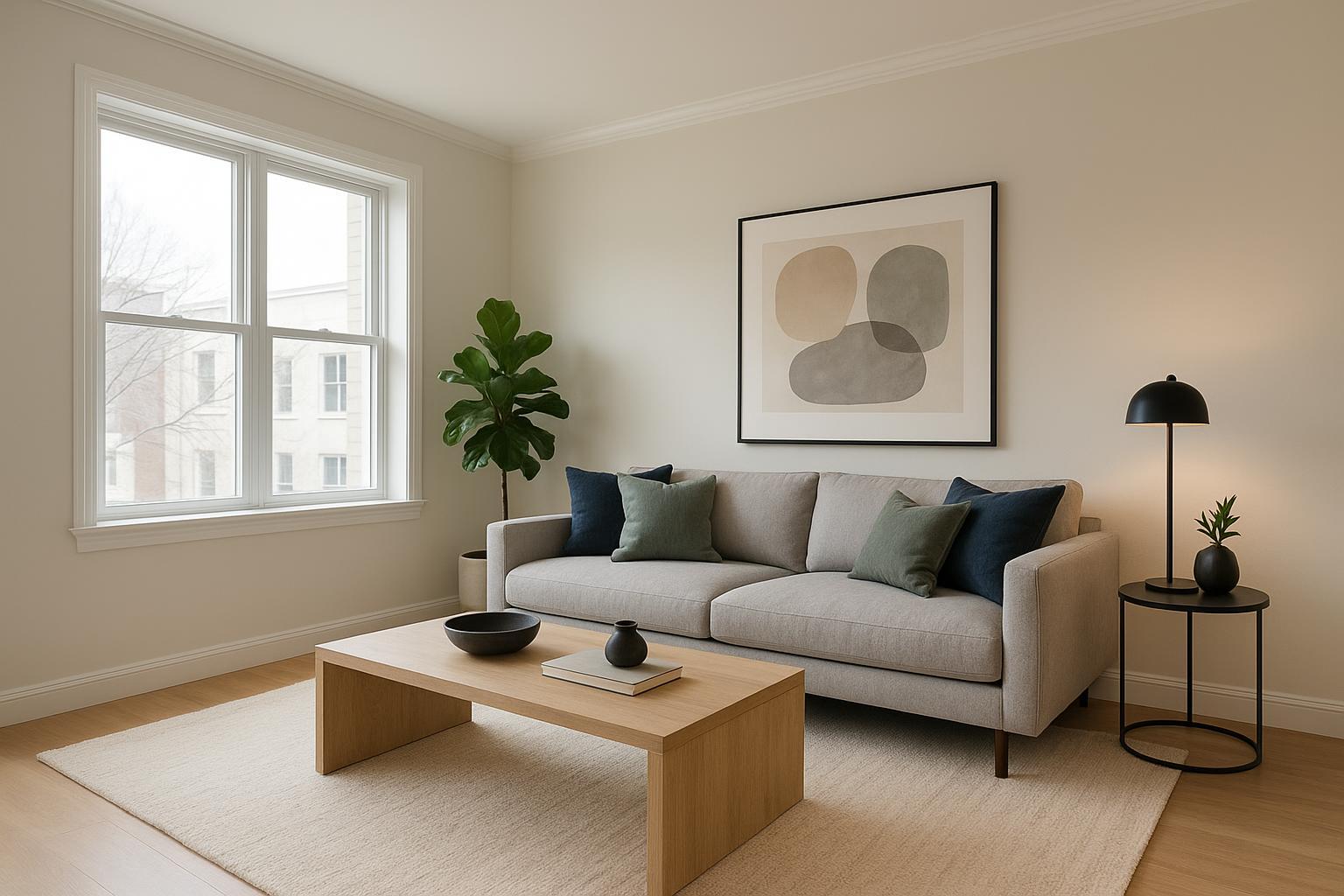
If you’ve ever opened a virtual staging tool and thought, “What exactly do I type?”, you’re not alone. Prompt anxiety is real—especially when a listing needs to go live fast. The good news: with a simple framework, you can write clear, reliable AI virtual staging prompts and get polished, listing-ready images in minutes. In this masterclass, you’ll learn a quick-start workflow, the anatomy of a strong prompt, and five copy‑and‑paste templates you can use right away.
We’ll keep this practical and tool-agnostic. You can follow the same approach in most platforms. When you’re ready, try the neutral example workflow below to see how presets reduce the need to “be a prompt engineer.”
Quick start: master virtual staging in minutes
Here’s a 10-minute, tool-agnostic mini-walkthrough you can try on your next listing photo.
Pick a great input photo. Choose a wide, well‑lit image with straight verticals and minimal distortion. If you need a refresher on what “good” looks like for interiors, Zillow’s visual primer on photography fundamentals outlines what makes listing images easy to stage and easy to love in the feed; see the guidance in the Visual Guide to Real Estate Photography by Zillow Media Experts (2024) for composition and lighting tips: Zillow’s visual guide to real estate photography.
Upload to your staging tool. If the room contains clutter or bulky furniture you plan to replace digitally, use a declutter/eraser feature to clean the slate first.
Choose a base style or preset. Select a style that matches your property and buyer profile (e.g., modern farmhouse, Scandinavian, contemporary condo). Presets reduce guesswork and create a consistent look across images.
Add a short, structured instruction (optional). In a prompt field, specify room type, palette, 3–6 furniture items/materials, and any scale/placement notes. Keep it short and unambiguous.
Generate, review, iterate. Check realism: proportions, shadows aligned with window light, no “floating” objects. Regenerate once or twice if needed.
Export and label. Download at your preferred resolution and add “Virtually Staged” to the caption or description per your local MLS rules.
Why this works: a clear preset anchors overall style, while a concise prompt adds just enough specificity to direct layout, palette, and hero pieces—without over-constraining the system.
How to write AI virtual staging prompts — the anatomy
Think of your prompt like a tiny creative brief. Research from the Nielsen Norman Group shows that structured prompts (e.g., CARE or “promptframes”) reduce ambiguity and improve results because you state context, constraints, and examples up front. For an overview of this approach, see the Nielsen Norman Group’s guidance on prompt structure and evolving promptframes (2024–2025): NN/g on prompt structure and promptframes.
Below is the minimal, high‑impact structure I recommend. You won’t need every element every time. Use what’s relevant, keep it concise, and avoid conflicting instructions.
Room type
Name it clearly: living room, studio main space, primary bedroom, dining room, patio/deck, office nook. Room type drives furniture archetypes and layout logic.
Style
Use a single style token (modern farmhouse, Scandinavian, contemporary, coastal, industrial loft). One clear style outperforms hybrids like “Scandi‑boho‑industrial” most of the time.
Color palette
Specify two to three dominant tones plus one accent, not a laundry list: “warm whites, greige, natural oak, matte black accents.” Tighter palettes photograph more lux and MLS‑friendly.
Specific furniture and materials
List 3–6 anchor items and materials: “L‑shaped beige sectional, rustic oak coffee table, textured jute rug, black metal floor lamp.” If realism slips, add approximate sizes (“84–90" sofa,” “36–42" round coffee table”) so proportions track with the space.
Layout and scale notes
Offer one or two placement and clearance cues: “sofa along the longer wall; maintain 30" walkway; keep media console below window height.” Scale is where many AI results falter; a single sentence helps.
Lighting and time of day
Set the mood succinctly: “soft natural daylight,” “golden-hour warmth,” or “twilight mood with subtle warm lighting cues.” This also steadies shadows.
Camera angle and constraints
Tell the system what to preserve: “eye-level from the corner; keep original architecture; do not alter windows or flooring.” This reduces artifacts.
Output expectations
State acceptance criteria lightly: “return 1–3 variations; avoid floating objects; keep realistic shadows.” You’re writing a heads‑up for quality control, not a legal contract.
Here’s the deal: the best AI virtual staging prompts read like a clear shopping list with two guardrails. Short, specific, consistent.
5 copy‑and‑paste prompt templates for common listings
Use these as-is or tweak the bracketed parts. They’re structured, short, and MLS‑friendly by default.
A) Modern farmhouse living room, neutral palette
Room: Living room Style: Modern farmhouse Palette: warm whites, greige, natural wood, black metal accents Furniture & materials: L‑shaped beige sectional (approx. 90–96"), rustic oak coffee table (36–42" round), textured jute rug, black metal floor lamp, simple media console Layout & scale: place sofa along longer wall; maintain 30" walkway; keep console below window height Lighting: soft natural daylight with consistent shadows Constraints: preserve original floors, windows, and trim; avoid wall alterations Output: 2 variations; no floating objects; realistic proportions
Customization idea: swap the sectional for a compact 84" sofa if the room is small, or change the rug to a flatweave if you need lower visual texture.
B) Contemporary condo studio, space‑saving layout
Room: Studio apartment main space Style: Contemporary Palette: light neutrals with charcoal and walnut accents Furniture & materials: compact sleeper sofa (72–78"), nesting coffee tables, wall‑mounted media shelf, counter‑height bistro set, slim floor lamp Layout & scale: zoned layout (sleep, lounge, dine); avoid blocking windows; apartment‑scale items only Lighting: bright natural light Constraints: preserve flooring and windows; avoid wall clipping; clear 24–30" paths Output: 1–2 variations; realistic shadows and proportions
Customization idea: replace the bistro set with a narrow console-as-desk for remote‑work‑friendly staging.
C) Luxury primary bedroom, warm wood + plush textiles
Room: Primary bedroom Style: Transitional luxury Palette: warm wood, cream, taupe, subtle brass accents Furniture & materials: upholstered king bed with plush bedding, wood nightstands with brass pulls, upholstered bench, textured area rug, two brass bedside lamps Layout & scale: symmetrical arrangement; maintain door/window clearance; realistic bedding folds Lighting: gentle daylight plus warm bedside lamp glow Constraints: keep architectural details intact; avoid altering floors or windows Output: 2 variations; refined textures; no floating items
Customization idea: if the room is tight, switch to a queen bed and narrower nightstands (18–21" wide) to maintain clearances.
D) Small, low‑light bedroom, light/bright feel
Room: Small bedroom Style: Scandinavian Palette: white, light oak, pale gray, minimal black accents Furniture & materials: low‑profile queen bed, narrow nightstands, slim desk with stool, wall‑mounted sconces, light flatweave rug Layout & scale: prioritize brightness; avoid oversized items; maintain 24–30" clearances Lighting: enhanced daylight effect; avoid harsh contrast Constraints: preserve walls, floors, and windows; no heavy drapery Output: 1–2 variations; crisp, airy look; believable shadows
Customization idea: downsize to a full bed and a single nightstand in very tight rooms to increase perceived space.
E) Outdoor patio refresh, twilight mood
Space: Outdoor patio/deck Style: Coastal transitional Palette: sand, sky blue, white, weathered wood Furniture & materials: weather‑resistant sectional with performance fabric, teak coffee table, lanterns, planters with coastal grasses, subtle string lighting Layout & scale: keep walkways clear; avoid blocking door thresholds Lighting: twilight glow with warm accent lighting Constraints: do not alter permanent structures or railings; maintain realistic shadows Output: 1–2 variations; inviting, family‑friendly vibe
Customization idea: for urban balconies, replace the sectional with two lounge chairs and a compact 24–30" round table.
Pro tip: Reuse the same style token and palette across rooms to keep your album cohesive. That uniformity helps buyers connect the spaces.
Virtual staging tutorial (tool‑agnostic) with one neutral example
Many platforms provide presets to reduce guesswork and keep you from over‑prompting. Here’s a short, neutral workflow you can adapt:
Start a virtual staging session and upload a well‑lit listing photo.
If needed, use decluttering tools (often called furniture erasers or room declutter) to remove distracting items before staging.
Choose a base design style or preset that fits your property segment; this anchors the overall look.
Optionally add one short custom instruction to fine‑tune palette, hero pieces, or layout notes.
Generate one to three variations, review for realism (scale, shadow direction, color harmony), and iterate lightly.
Download your preferred result and label images “Virtually Staged” per your MLS.
If you prefer an example with a friendly, preset‑first flow, you can try a single, neutral pass in Collov AI: upload a photo, clear distractions with declutter/eraser tools, pick a base style/preset, optionally add a concise custom instruction (e.g., “L‑shaped beige sectional; rustic oak coffee table; jute rug”), generate, and download the version that best matches your brief. The emphasis here is speed and clarity rather than complex prompting.
Note: Multiple AI staging tools exist and can follow the same steps. Use whatever fits your team’s workflow and budget.
Photo prep and technical best practices
Strong staging begins with strong inputs. Prioritize resolution, clean lines, and consistent lighting, and your AI results will look markedly more realistic.
Composition and clarity. Avoid extreme wide angles and keep verticals straight by shooting from chest to eye level and backing into a room corner to capture depth. For a refresher on composition, see the Visual Guide from Zillow Media Experts (2024): Zillow’s photography and rich media guide.
Light quality. Natural, even daylight makes it easier for AI to maintain believable shadows and color. If an image is dim, consider brightening in your photo editor first so the staging layer integrates cleanly.
Declutter early. Removing real clutter before shooting—or using a tool’s declutter step before staging—prevents awkward masking and “floating” accessories.
Think of it this way: you’re giving the system a clean canvas and a clear brief. Better canvas, better art.
Troubleshooting and compliance checklist
If something looks “off,” it’s almost always one of four things: scale, shadows, clutter, or conflicting styles. First, simplify the prompt to a single style and 3–4 major pieces. Add one sentence about scale (“84–90" sofa,” “30–36" coffee table”) and one about lighting (“consistent with window light”). That alone fixes a surprising number of issues.
For compliance, always label images that are digitally altered or virtually staged. The National Association of REALTORS notes that conspicuous disclosure prevents misrepresentation; see their practical reminder in 2024: NAR on disclosing virtually staged images. Many MLSs provide specific instructions. For example, CRMLS outlines accepted labels such as “digitally altered” or “virtually staged” and where they must appear in the photo description; review their Knowledge Base for details: CRMLS guidance on digitally altered images. Always follow your local rules.
Quality‑assurance pass (quick): read your prompt out loud; remove anything redundant; keep one style; ensure walkways and door swings are clear in the image; watch for objects intersecting walls; and verify that shadows fall in the same direction as the room’s natural light.
FAQ: short answers to common agent questions
How long should my prompt be? Aim for 50–120 words. Short, structured, and focused beats encyclopedic.
Can I reuse prompts? Yes—especially if you keep the same style token and palette for an entire listing. Consistency sells.
Do I have to prompt at all? Not always. If your platform offers presets, start there and add a single sentence only when you need a specific piece or palette.
Closing
You don’t need to be a “prompt engineer” to stage like a pro. Start with a preset, add one concise instruction, and use the templates above to keep your album consistent and buyer‑friendly. Which room in your current pipeline is the best candidate to try one of these templates today?